In today’s digital world, having a strong online presence is more important than ever for businesses, no matter their size. Whether you run a small local shop or a large company, people often search online first when looking for products or services. This makes local search a key factor in attracting potential customers. One of the most powerful tools to improve your local visibility and connect with customers is Google My Business (GMB).
Google My Business allows you to create a profile for your business that appears on Google Search and Google Maps. When your listing is well-optimized, it can help more people find your business, increase phone calls, bring visitors to your store, and improve your reputation online. A complete and accurate GMB profile acts like a digital storefront, showing customers essential information such as your business hours, contact details, and even photos of your products or services.
If you’re looking to improve your local SEO, this article provides detailed Google My Business optimization guides to help you make the most of your online presence. These step-by-step tips will show you how to enhance your GMB listing so your business stands out in local searches, attracts more customers, and grows your presence in your community.
What is Google My Business
Google My Business is a free tool provided by Google that allows businesses to manage how they appear on Google Search and Google Maps. With a GMB listing, businesses can showcase essential information such as:
-
Business name, address, and phone number (NAP)
-
Business hours
-
Website link
-
Customer reviews
-
Photos and videos
Essentially, GMB acts as your digital storefront, helping customers find and interact with your business online.
Why It Is Important for Every Business
A GMB listing is more than just an online directory. It’s a powerful marketing tool that helps businesses connect with local customers. Here’s why every business should have one:
-
Increase Local Visibility: Appear in local searches and Google Maps results.
-
Build Credibility: Positive reviews improve trust and reputation.
-
Drive Engagement: Direct calls, website visits, and foot traffic increase.
-
Boost SEO Performance: Google prioritizes verified, complete listings in local searches.
Businesses without a GMB listing risk losing potential customers to competitors who actively manage their profiles.
Basic Steps for Optimization GMB Listings
Create GMB Account
-
Go to Google My Business.
-
Click “Sign in” or “Start now” button using your Google account.
-
Enter your business name, select the business types and the business category.
-
Add your location details if you have a physical storefront or service area.
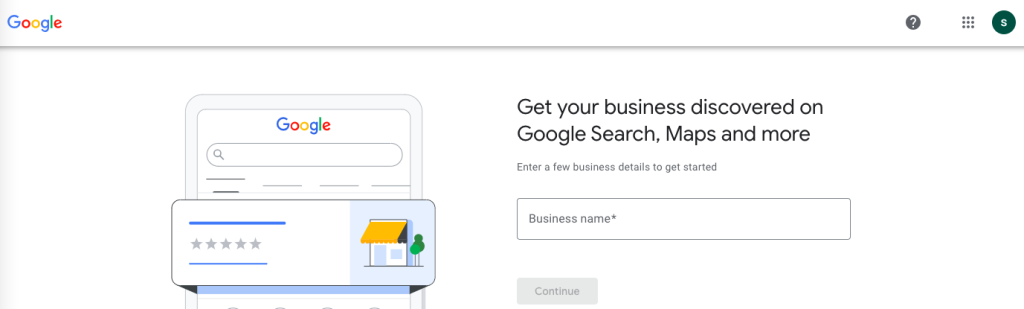
Proper setup ensures your listing appears correctly in search results.
Complete and Update Your Business Information
-
Ensure your business name, address, and phone number (NAP) are accurate.
-
Add business hours, website, and service areas.
-
Include a detailed business description highlighting your services and unique selling points.
-
Regularly update your information to reflect changes, such as holiday hours or new services.
- Put your business on the map
Accurate and updated information helps customers trust your business and reduces confusion.
Verify Your Business Listing
Verification confirms your business is legitimate and allows you to manage your listing fully. Common verification methods include:
-
Postcard verification (most common)
-
Phone or email verification (if available)
-
Instant verification (for certain Google accounts)
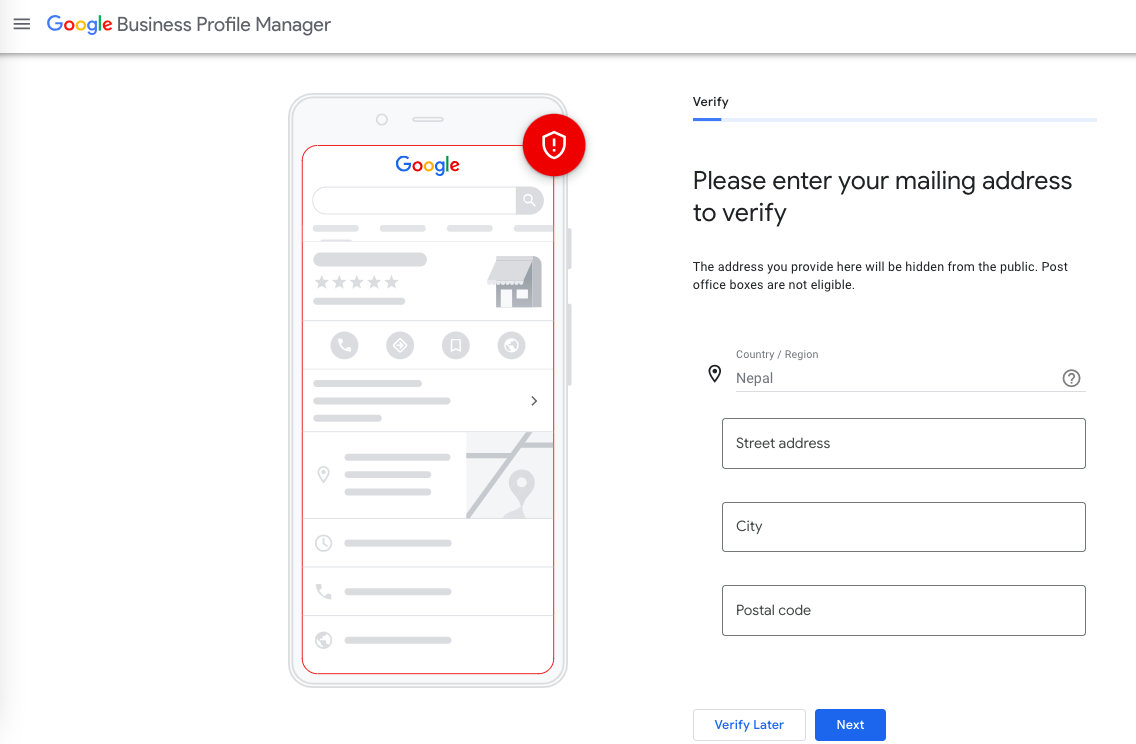
Avoid skipping verification, as unverified listings have limited visibility.
Add Photos
Photos make your GMB listing more engaging and credible. Include:
-
Exterior photos of your storefront
-
Interior photos of your business environment
-
Product or service images
-
Team photos or events
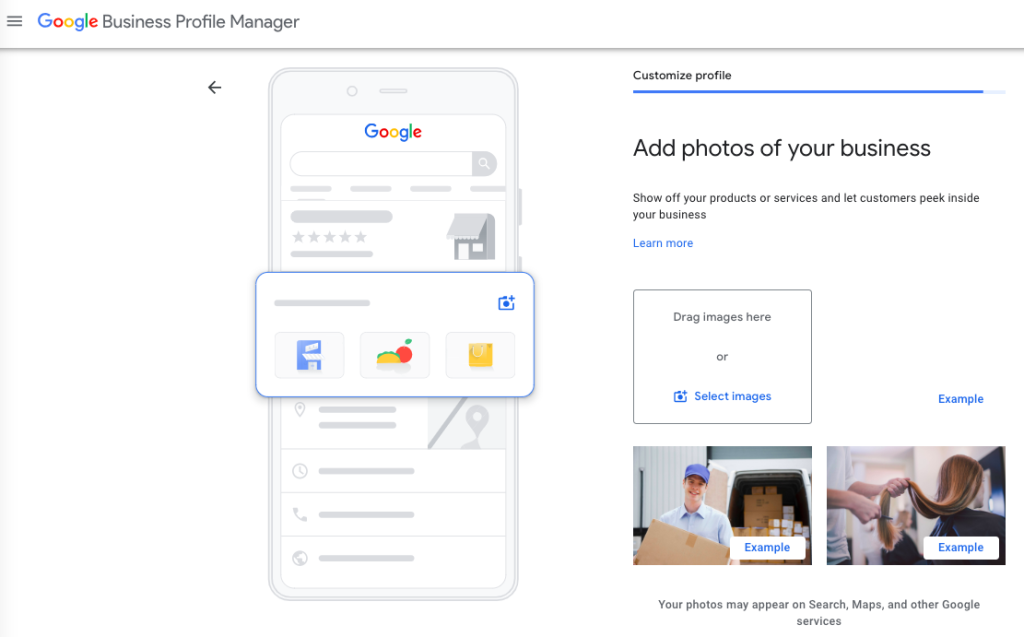
High-quality visuals attract attention and help customers get a sense of your business before visiting.
Ask Clients for Reviews
Customer reviews are a key factor in local search rankings and credibility. To get reviews:
-
Ask satisfied customers politely for feedback.
-
Make it easy by providing a direct review link.
-
Respond to reviews (positive and negative) professionally.
Engaging with reviews shows that your business values customer feedback.
Select Right Category
Choosing the correct category helps Google understand your business and display it to relevant searchers. Tips:
-
Pick a primary category that best represents your business.
-
Add secondary categories if necessary to cover additional services.
-
Avoid irrelevant categories that can confuse potential customers.
A well-chosen category improves search visibility and matches your listing with customer intent.
Final Thoughts
Optimizing Google My Business listing is a simple but highly effective way to improve local visibility, attract more customers, and strengthen your online presence.
By creating a GMB account, completing your business info, verifying your listing, adding photos, requesting reviews, and selecting the right categories, your business can stand out in local searches.
If you’re new to local marketing, you might also want to explore the benefits of local SEO to understand how it complements your Google My Business efforts. Local SEO helps your business appear in nearby search results, boosts visibility among potential customers in your area, and strengthens your overall digital marketing strategy.
Remember, consistency is key. Keep your profile updated, post regularly, and use the insights provided by Google to understand what works best. Continuous optimization will help your business maintain strong visibility and grow steadily over time. Start today and see how these guides can help you reach more local customers and achieve lasting results.

I’m Sushil Shakya, and I believe the best way to learn SEO and digital marketing is by doing. On this blog, I experiment, test strategies, and share actionable insights to help you grow your online presence.